AI Hosting Guides
Related AI WordPress Cloud Guides
Read more about WordPress resources, ecommerce, SEO and growing an AI-assisted website.
Build your WordPress website with AI, then give it the cloud resources to grow with your traffic, content and business.
SoftWP AI website builder + configurable cloud resources.
SoftWP AI • Configurable vCPU & RAM • NVMe storage • DirectAdmin • WordPress Manager
AI-Enabled Cloud WordPress Hosting
Choose a cloud configuration around the website you are building today, then move up when it needs more room.
Need a smaller fixed-resource plan? View AI WordPress Hosting.
Describe the site you want, use SoftWP to help shape the initial structure and content, then continue editing everything in WordPress. It gives you a quicker route from an idea to something you can refine and launch.
Describe the website you want, use SoftWP to help shape the initial structure and content, then continue editing everything in WordPress. It gives you a quicker route from an idea to a website you can actually launch.
Start Your AI Cloud WebsiteUse AI-assisted onboarding to turn the website idea into an editable WordPress starting point.
Manage WordPress, SSL, databases, DNS and domain email through a familiar DirectAdmin account.
Move to more RAM, vCPU or storage when the website becomes busier instead of rebuilding somewhere else.
Choose a cloud configuration around the work your WordPress website is doing, with more processing, memory and storage available when the site demands it.
Add landing pages, service pages, articles, images and campaigns without choosing a plan built only for the first version of the site.
Give a growing WordPress stack more headroom as forms, SEO, caching, security and business tools become part of the site.
Choose a stronger resource configuration as marketing, search visibility and returning customers bring more activity.
Move up the cloud range when the project needs it without taking on root access or Linux server administration.
Cloud hosting gives you a more flexible route than choosing only by disk space. Pick the combination that makes sense for the website you are building.
Not sure where to start?
Choose a sensible entry configuration and move up when real website usage shows you need more.
View Cloud OptionsProcessing
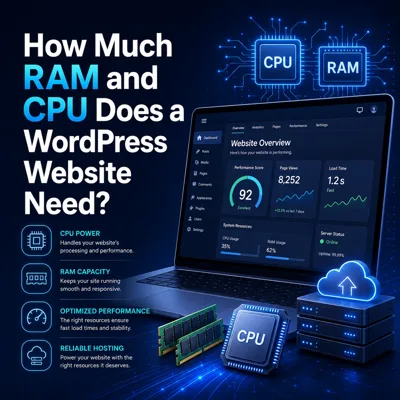
Give WordPress more processing capacity when plugins, PHP activity and visitor requests increase.
Available options: 1–32 vCPU
Working memory
Choose more memory for busier WordPress installations, larger plugin stacks and heavier website activity.
Available options: 1GB–32GB RAM
Fast storage
Give WordPress files, uploads, media, themes, plugins and database-driven content a fast storage foundation.
Available options: up to 300GB NVMe
Your website should not need a new hosting strategy every time it becomes more successful.
Stage 1
Use SoftWP AI to help move from an idea to a working WordPress starting point.
Stage 2
Add stronger service pages, calls to action, forms, content and campaigns as the website starts doing real work.
Stage 3
Grow the site with more media, plugins, landing pages and business functionality.
Stage 4
Step up the cloud configuration when traffic and workload justify more RAM, CPU or storage.
SoftWP helps with the starting experience, while WordPress remains the platform you continue to edit and manage.
AI-enabled cloud plans also include WordPress Manager and access to the WordPress installation workflow where supported premium tools can be selected during setup.
Our standard AI WordPress page explains the SoftWP workflow and included WordPress tools in more detail.
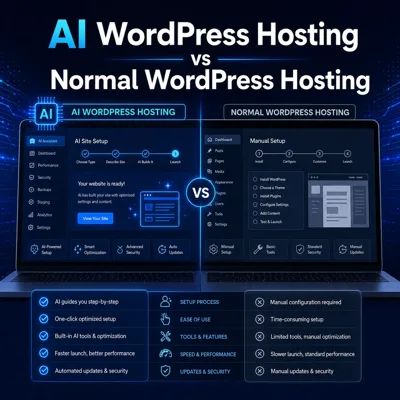
Explore AI WordPress FeaturesBoth help you build with AI. The difference is how much resource flexibility you want around the website.
Simple starting point
Best when you want AI-assisted WordPress setup on a straightforward fixed-resource hosting plan.
More room to grow
Best when the site is expected to become busier, heavier or more important and you want configurable resources.
Get a stronger WordPress hosting route while keeping everyday management in DirectAdmin.
Keep files, databases, DNS, SSL and available email controls in one hosting panel.
Choose cloud hosting when you need more resources but do not need to administer a server yourself.
Move to a larger cloud configuration as WordPress needs more capacity.
Root access, custom server software and server-level control remain available through VPS and VDS hosting.
Choose our main Cloud Hosting route when you want configurable website resources without making AI WordPress the centre of the plan.
View Cloud HostingTrusted by our customers with consistent 5★ feedback.
Don’t just take our word for it — see why so many clients choose us for reliable service, quick turnaround, and measurable improvements.
AI WordPress Cloud Hosting FAQs
Clear answers about AI WordPress, cloud resources and when to move up.
AI Hosting Guides
Read more about WordPress resources, ecommerce, SEO and growing an AI-assisted website.
Start your WordPress website with SoftWP AI and choose cloud resources that can grow with the project.
SoftWP AI • Configurable cloud resources • DirectAdmin • WordPress Manager • NVMe storage